See what's nearby, and what it really costs.
ListingMap works alongside you while you search: it adds what's nearby to any property listing, and to the results page before you even click in. Tap a category like gym, train or supermarket for the nearest places with real travel times, and on UK rentals, see what it really costs each month. Hide the homes you rule out so they're out of your way, and check floor size and floorplans without opening a single one.
Reveal turns the listing into one clear page
One tap on a Rightmove listing lays out the photos, the floorplan, the real monthly cost and a live map on one calm page.
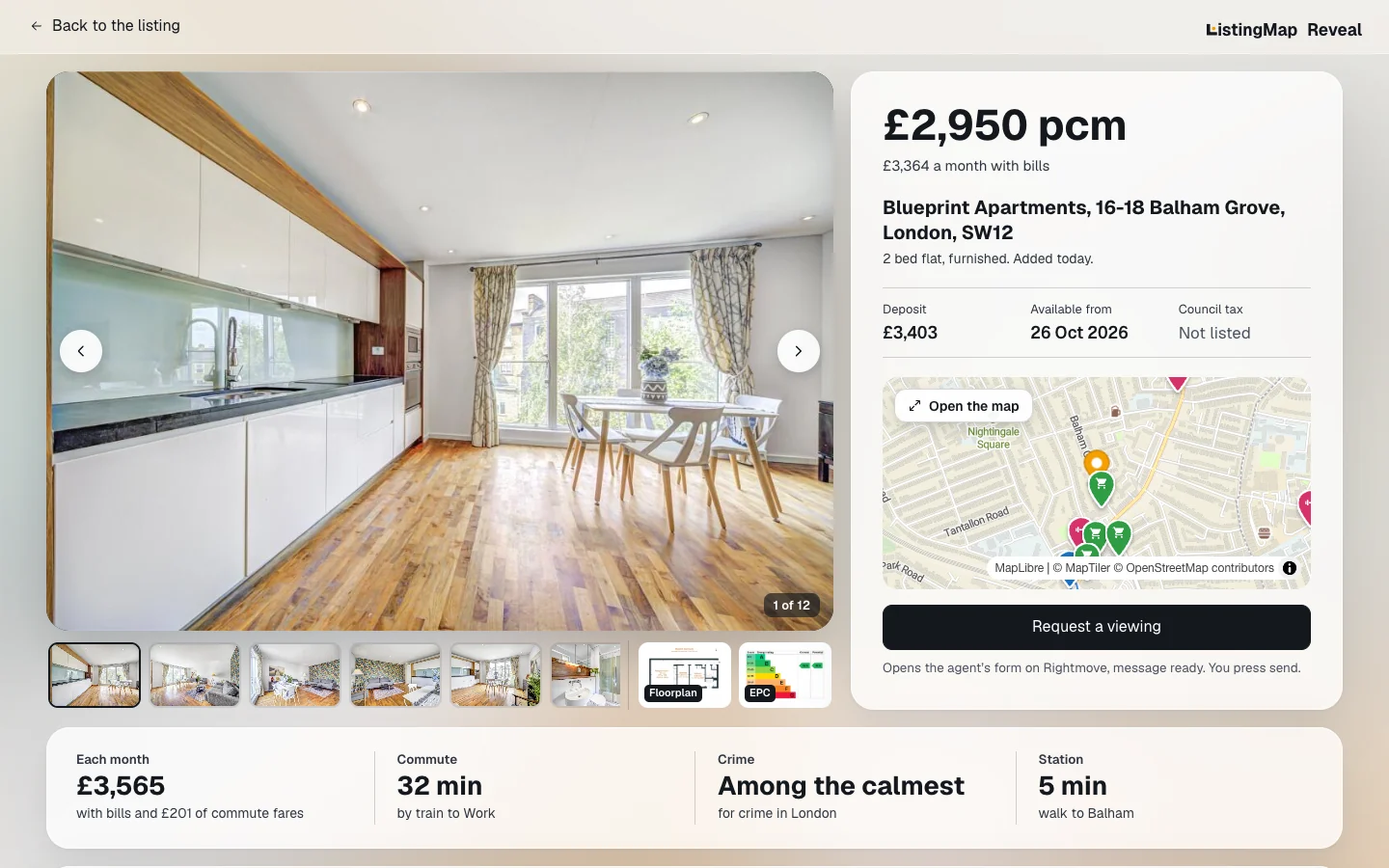
- Big photos first, with the floorplan and the EPC a click away.
- The price, and what it really costs a month once council tax, energy and water are added. Add your commute and your own bills and they join the total.
- A live map with walk times to the station, shops and the gym, and your commute stop by stop.
- Recorded crime around the home, ranked against 50 areas when it's in London, and what locals say about the area.
- Request a viewing opens the agent's form with your message already written in.
A listing tells you everything about the house and nothing about the life around it. So you copy the address into Google Maps, check the commute, check the gym, check how far your friends are, then go back to the listing. The rent is right there on the page, but the council tax band is somewhere else, the energy bill is a guess, and water never crosses your mind. Again, for the next one, and the one after that.
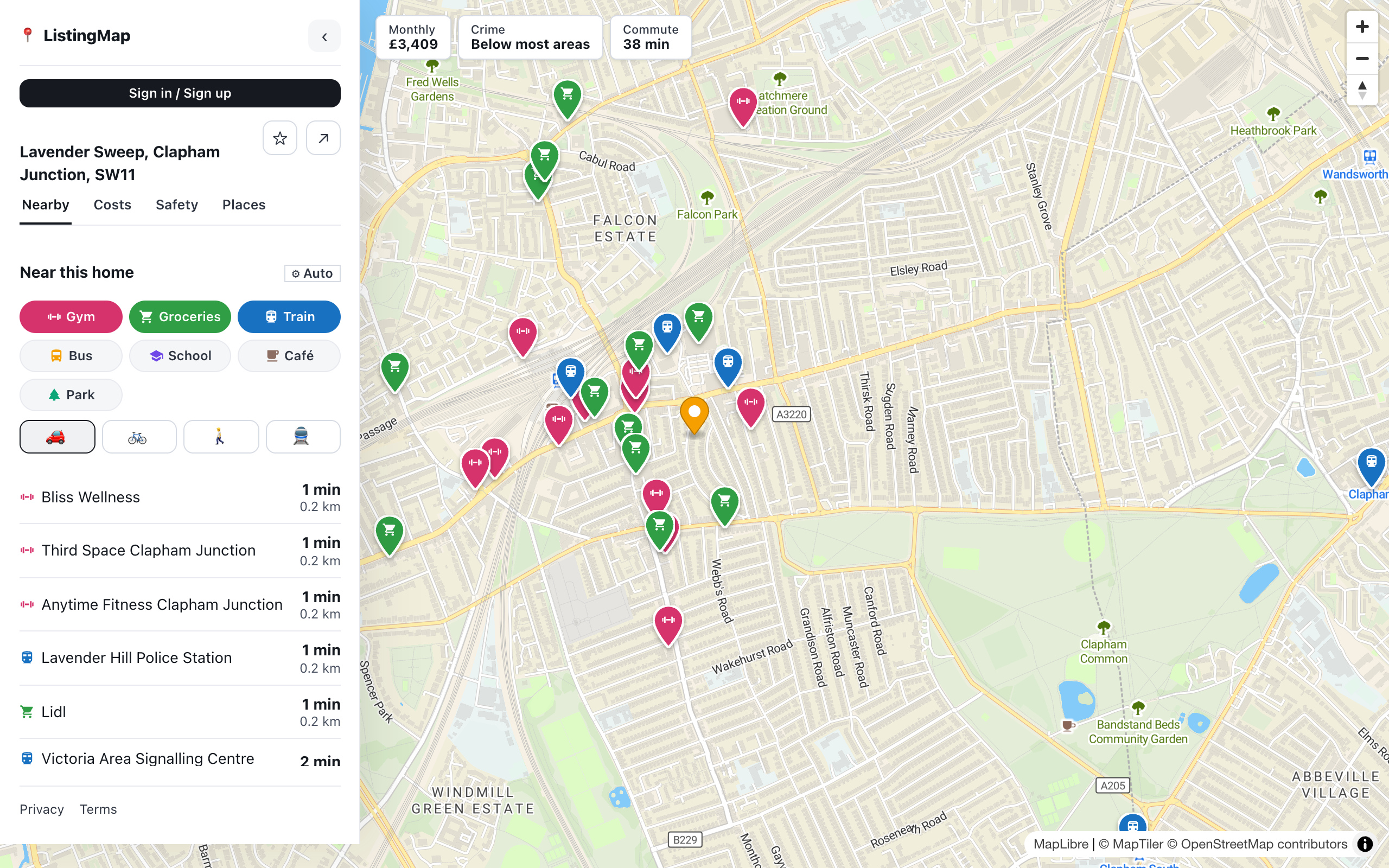
ListingMap does that in place, on the listing and on the results page. Save the spots that matter once and every home you look at shows up against them. Hide the ones that aren't right and they stay hidden, so you're only ever looking at homes still in the running.
Four answers on every listing
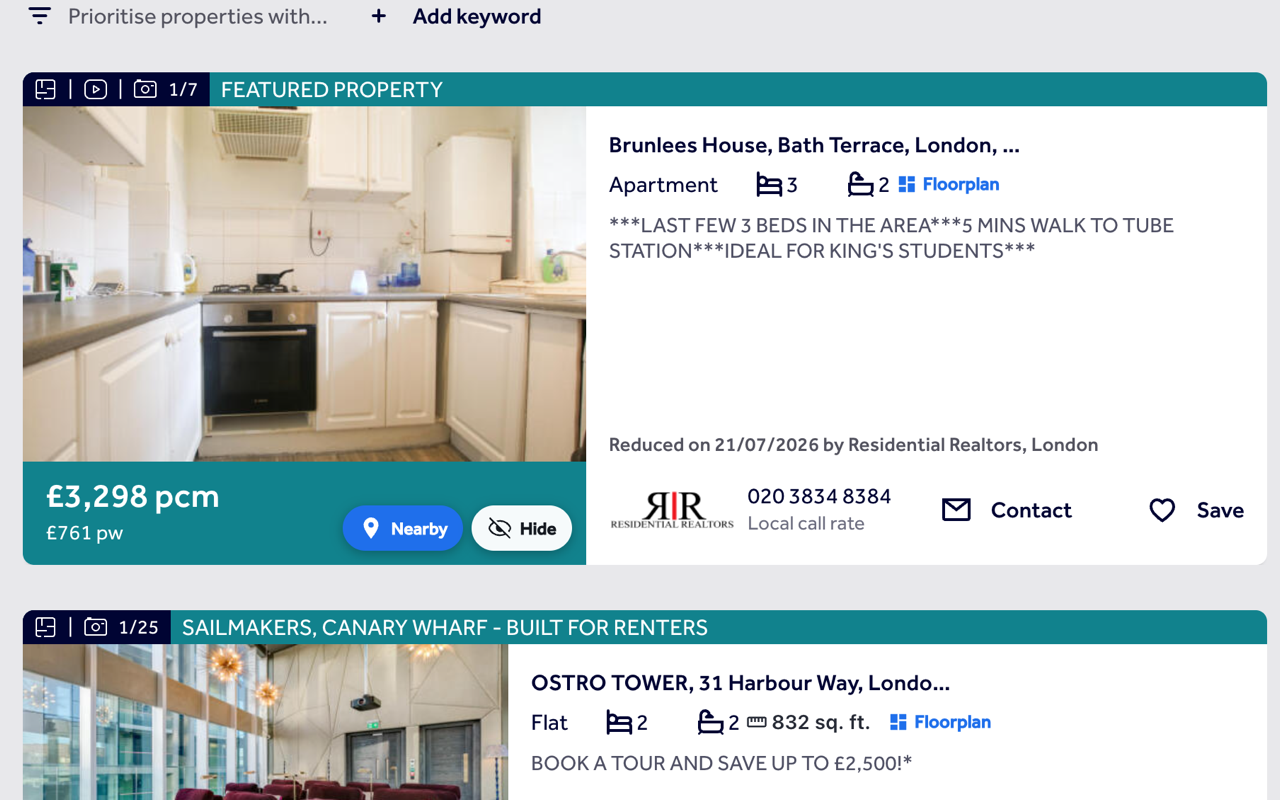
Your assistant on the results page too
- 1
Nearby, from the card
Every result gets its own Nearby button, so you can check the area before you click in.
- 2
Hide what's not for you
Hide a home you've ruled out and it stays gone, with a panel to bring anything back.
- 3
See size before you click
Floor area shows right on the card, with the floorplan a click away.
Works on the sites you already use
United Kingdom
United States
Canada
Australia
Pricing
ListingMap is free to install and use on any listing: nearby search, real travel times and hiding the homes you rule out. Pro lifts the caps on saved homes and lists, and keeps them synced across your devices.
Free
$0
- Nearby search and real travel times on any listing
- True monthly cost, rent plus bills, on UK rentals
- Hide homes you've ruled out on the results page
- Save up to 3 homes in 1 list
- No sign-in needed
Questions
Which property sites does it work on?
Rightmove, Zoopla and OnTheMarket in the UK, Zillow, Realtor.com and Redfin in the US, Realtor.ca in Canada, Idealista, Immobiliare.it, ImmobilienScout24, Funda, SeLoger and Daft.ie across Europe, and realestate.com.au and Domain.com.au in Australia. See the full list below.
What is Reveal?
Reveal is a button ListingMap adds to Rightmove listings and search results. One click turns the listing into a single page: big photos with the floorplan and EPC, the price and, on rentals, what it really costs a month with bills, a live map with walk times and your commute, recorded crime nearby and what locals say about the area. When you're ready, Request a viewing opens the agent's form with your message written in. Other property sites are next.
Does it cost anything?
Nearby search, travel times and hiding homes are free everywhere ListingMap works. The Costs tab and the Safety tab are free too. Free covers saving up to 3 homes in 1 list, and Pro removes that limit for $5 a week or $20 once, see the pricing section above.
How do you work out the monthly cost?
Council tax comes from gov.uk's council tax tables for the listing's billing authority: the band on the listing where one's published, or a band picker where it isn't. Energy is priced from the property's EPC where one exists, at the current Ofgem price cap, with a typical-home estimate as fallback where there's no certificate. Water is the regional water company's average bill. Add where you commute to and your own regular bills and the Costs tab folds those into the same monthly number too. These are estimates, not quotes.
Which homes get a cost estimate?
UK rentals in England, on Rightmove, OnTheMarket and Zoopla for now. Nearby search and travel times work everywhere ListingMap works.
How does the safety comparison work?
For homes in London, the Safety tab pulls the last 12 months of street-level recorded crime from police.uk within 1 mile of the home, covering burglary, vehicle crime, violence, robbery and criminal damage, and ranks it against 50 well-known London areas. It's a comparison built from public data, not a guarantee about any one street, and it only covers London for now.
Do you track my browsing?
No. The extension only reads the location already on the page you're viewing, a listing or a results page, to place homes on the map. It never reads or sends your browsing history. Your saved places and hidden homes stay on your device: we count how often the hide and shortlist buttons get pressed, so we know which features people use, but never which homes.
How are travel times calculated?
By car, public transport, walking and cycling, using Google Directions, the same routing you would get from Google Maps, shown right next to the listing.
What happens to homes I hide?
They stay out of the results page every time you come back. Open the review panel to see everything you've hidden and restore any of them.
Do I need an account?
No. You can use it without signing in. Signing in only keeps your lists in sync across devices.
See what's nearby, and what it really costs.
Add it once and it follows you to every listing and every search, with the same saved places and hidden homes right there on the page.
Install on your browser, free